
Overview
Having trouble logging into Next? Find your situation below for help.
Common Login Errors
⚠️ "We couldn't find your account. Double-check your email address."
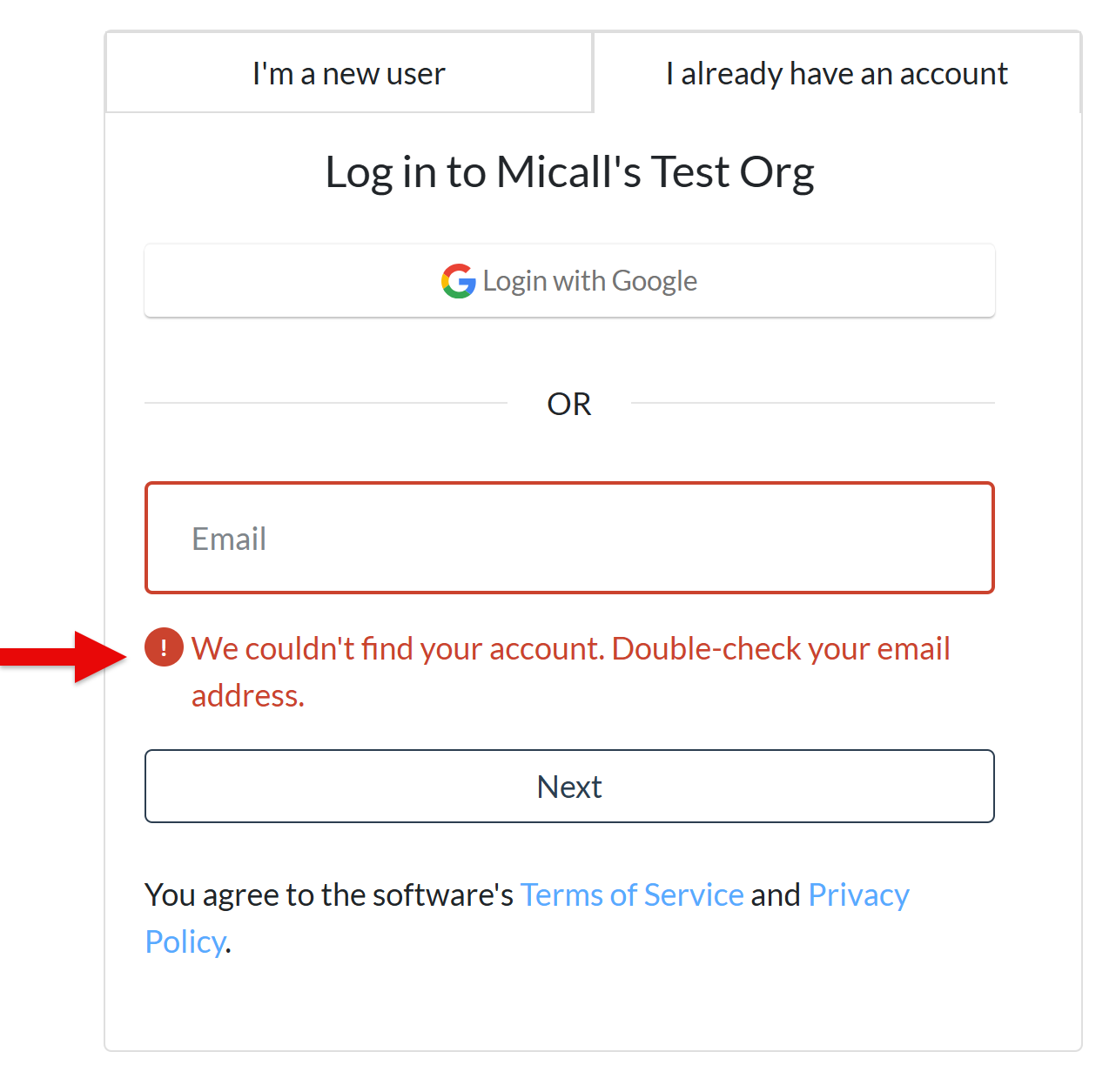
➜ Most likely causes: Wrong email address.
💡 Try this:
-
Make sure you’re entering the exact email you used when you created your account. Try a different email address you may have used to sign up.
-
Haven't created an account yet? Select I'm a new user.
⚠️ "Access blocked: Authorization Error" (“Error 400, 401, 403, 404”)
➜ Most likely causes: Session expired, wrong login method, browser issue.
💡 Try this:
- Click "Return to portal" on the error screen, then try logging in again.
Still getting an error?
- Use a laptop or desktop computer (instead of a mobile device), if you have one.
-
Close your browser, reopen, and try again.
-
Update your browser to the latest version.
- Try a different browser (e.g., Chrome, Safari, Firefox, Edge).
-
Restart your device.
-
Clear cookies for this site only. For help, see ➡️How to Clear Cookies for a Specific Site (Clearing all cookies–instead of for this site only–should be done with caution, as it will affect other sites you're logged into).
⚠️ "We couldn't log you in. Check your email address and password, or reset your password below”
➜ Most likely causes: Incorrect password entered.
💡 Try this:
-
Re-enter your password.
-
Can’t remember your password or still having trouble? Click "Forgot Password?," and follow the instructions. For more help, see ➡️Reset Your Password.
Other Login Issues
I tried to log in with my email address and see "Your account is set up with SSO. Click below to sign in."
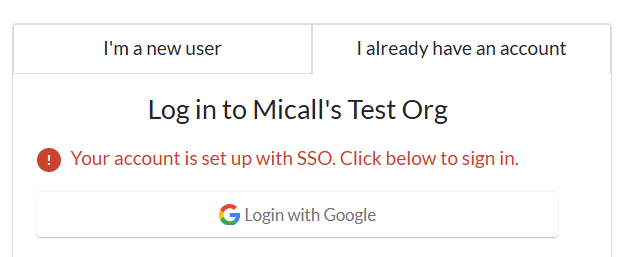
- Your account was created with Google sign-in. Click Login with Google to continue. The system will not let you log in manually with your email and password.
- Make sure you use the same Google account you originally signed up with.
- If you're having trouble accessing your Google account, you'll need to use Google's account recovery process.
I forgot my password
- On the login page, click “Forgot Password?”
- Check your spam folder if the reset email doesn't arrive within a few minutes.
- For more help, see ➡️Reset Your Password.
I asked for a password reset email but it never showed up
- Check your spam or junk folder.
- If you signed up with Google, use Sign in with Google instead.
-
Still not receiving the email? Try these troubleshooting steps ➡️Not Receiving Emails From Next
I'm logged in but seeing the wrong account or organization
- You likely created multiple accounts under different email addresses. Log out and try a different email address you may have used.
I can't remember which email address I used
-
Contact the organization to help look up your email.
(If you’re an Admin, contact Support).
I clicked the “Log In" / "Accept Invitation" button in my invitation email and nothing happened (For Program Members or Organization Applicants)
-
Copy-paste the full URL directly into a new browser tab. If that doesn't work, try a different browser (e.g., Chrome, Safari Firefox, Edge).
I need to update the email address on my account
-
Contact the organization running the program to help look up your email.
(If you’re an Admin, contact Support).
I signed up for an account but never got the verification email
- Check your spam or junk folder first. Add no-reply@wizehive.app to your safe sender list so future messages don’t get filtered out.
-
Using a company or agency email? Your organization's email system may be filtering out unfamiliar senders. Contact your IT department to safelist no-reply@wizehive.app so future emails come through.
-
Still can’t find it?
- Go back to the verification screen, and click “Send new code.”
- Already left that screen? Click “Forgot Password?” on the login page and follow the steps to reset your password and verify your account. For more help, see ➡️Reset Your Password.
- Try these troubleshooting steps ➡️Not Receiving Emails From Next.
What did you think of this article? Please leave a comment below!
Your feedback helps us improve the experience for everyone.
Related to
Comments
0 comments
Please sign in to leave a comment.